Payment Pages
Static payment pages with permanent links and QR codes.
Open the interactive version or read this guide as markdown.
API reference
- POST
/api/v1/payments/pages: Create a payment page - GET
/api/v1/payments/pages: List payment pages
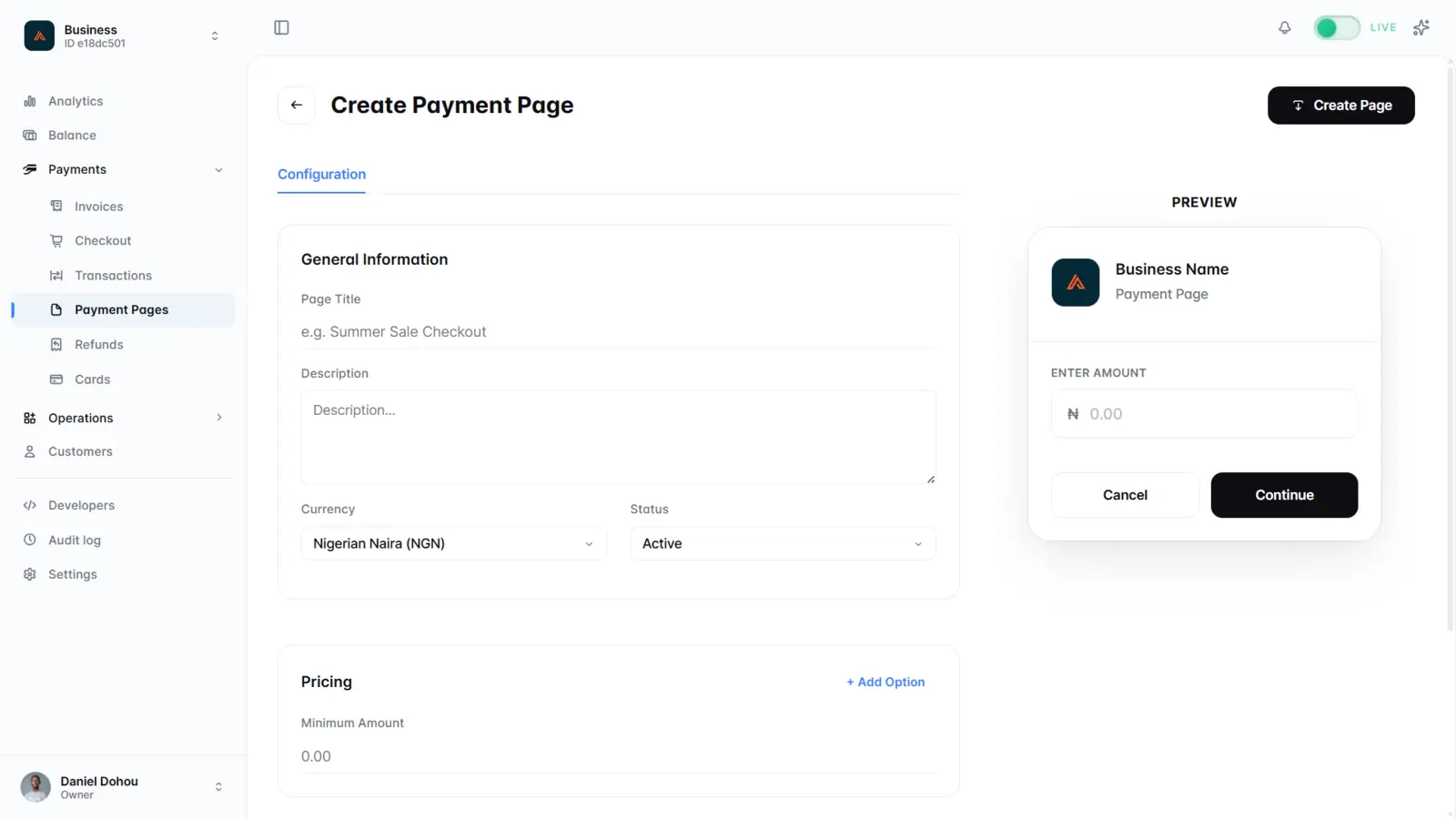
A payment page is a reusable page with its own link and QR code that takes many payments over time. Share the link online or print the QR code anywhere, and each customer starts their own payment under the same page. Set fixed price options, or let customers enter the amount themselves.
How it works
- Create a page with
POST /api/v1/payments/pages, or build it in the dashboard. - Print the QR code (light, dark, or grey) for display at your location, or share the link directly.
- List payments collected by a page with
GET /api/v1/payments/pages/{reference}/sessions. - Update or deactivate the page with
PATCH/DELETE /api/v1/payments/pages/{id}.
Request fields
| Field | Type | Required | Description |
|---|---|---|---|
title |
string | Yes | Page title, up to 50 characters. |
currency |
string | Yes | NGN or USD. |
isActive |
boolean | Yes | Whether the page accepts payments. |
description |
string | No | Shown to the customer on the page. |
pricing |
array | No | Fixed price options, each with a title and price. The customer selects one. |
enableQuantity |
boolean | No | Adds a quantity selector, e.g. nights or units. Only valid with pricing options. |
minAmount |
number | No | Minimum accepted amount when the customer enters their own. |
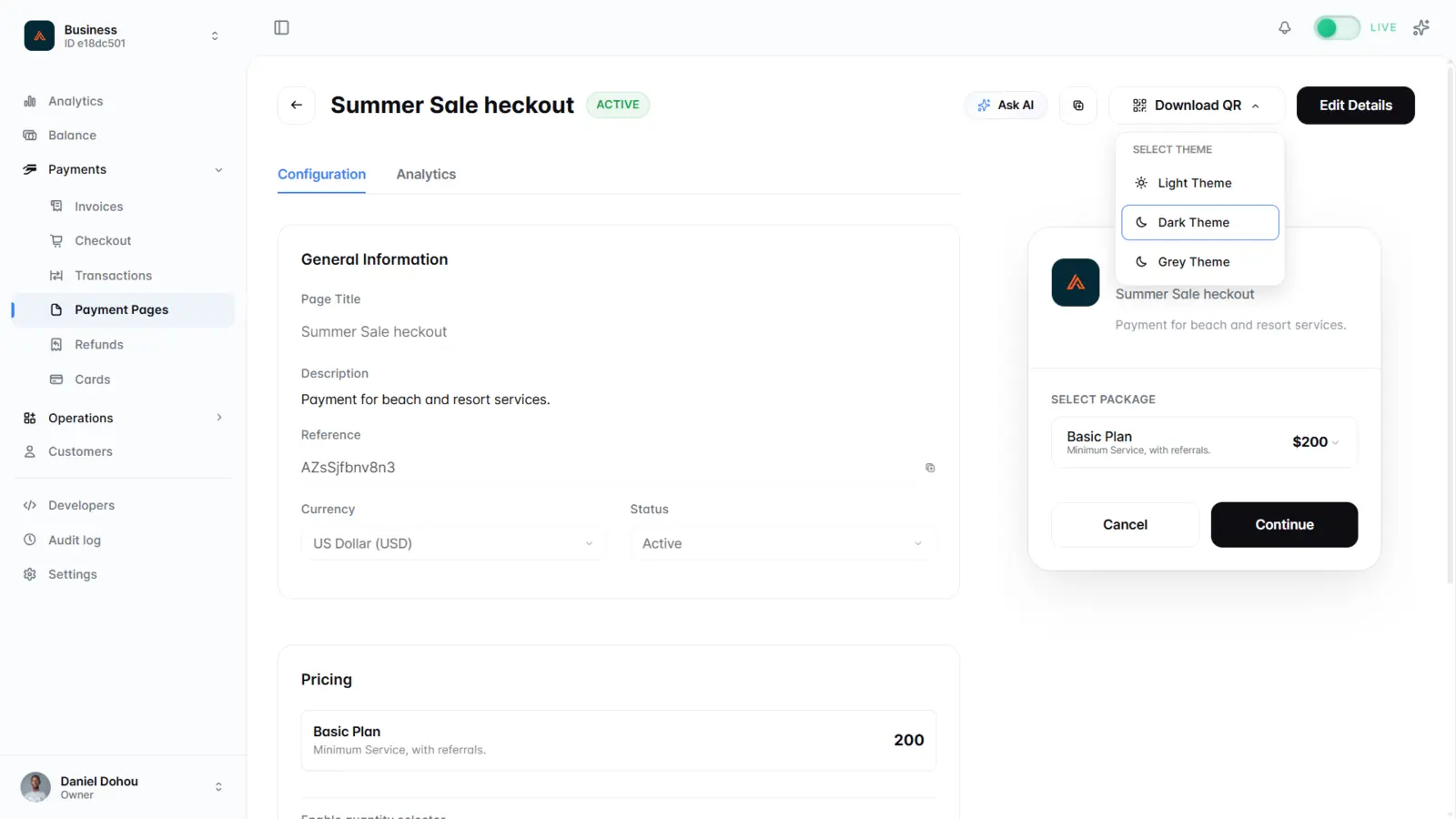
Each page has its own analytics: revenue, checkouts, customers, and impressions.
Use cases
- Store counters, market stalls, and pop-ups
- Fixed-price products and event tickets
- Donations and community dues
Define
pricingoptions for set products, or setminAmountand let the customer enter the amount. Payments collected through a page send the same webhook events as checkout sessions.