POS Terminals
Accept in-person crypto payments at the point of sale.
Open the interactive version or read this guide as markdown.
A POS terminal lets you take crypto payments in person, on any phone or tablet at your counter. You enter the amount, the customer scans the QR code on screen, and the payment confirms on the spot.
It also runs on traditional Android POS devices with a built-in receipt printer, so you can print a receipt for the customer after each payment.
Install the app on your device to get started: download the POS app for Android.
How it works
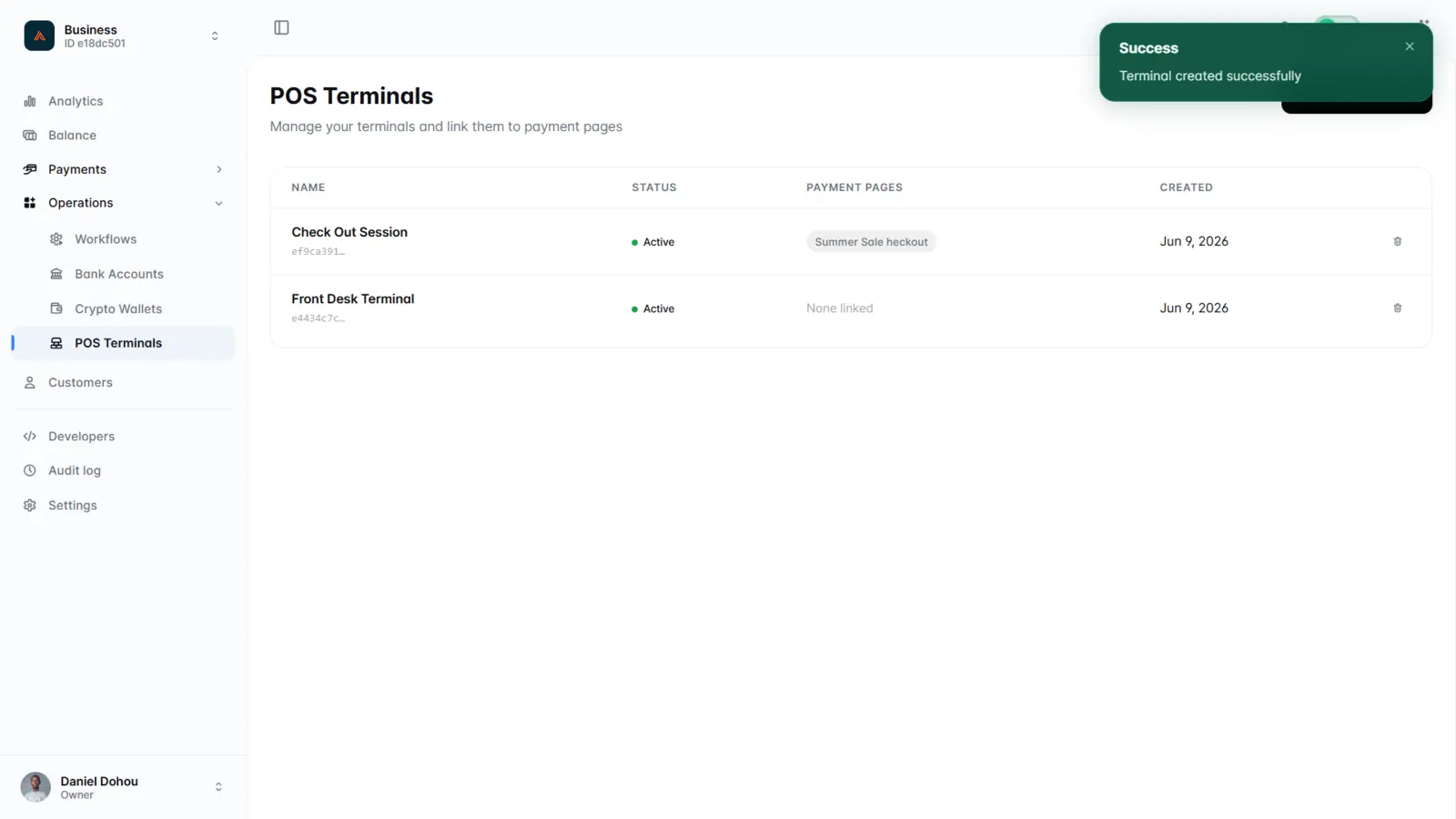
- In the dashboard, create a terminal and link it to a payment page.
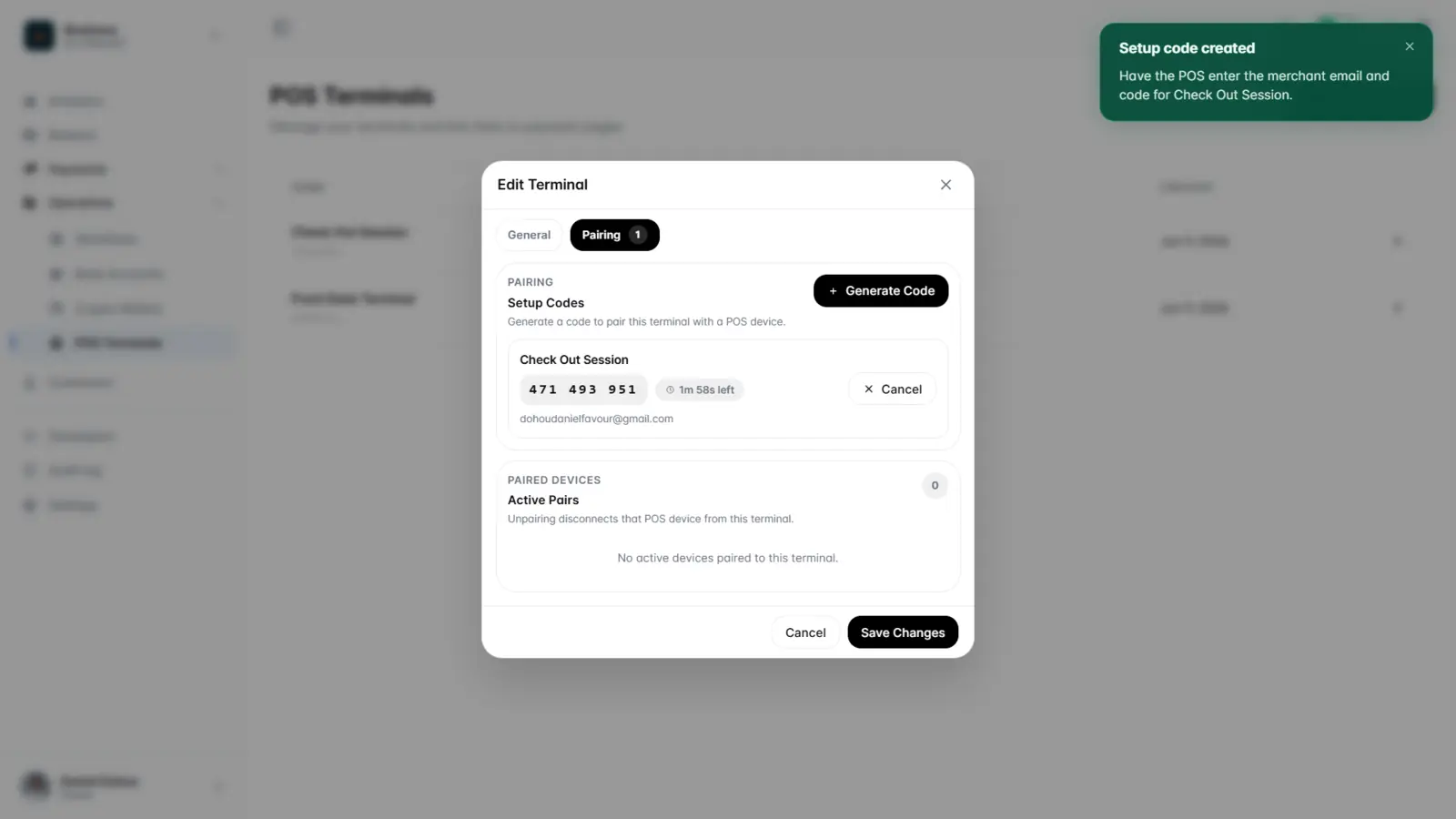
- Generate a setup code and enter it on the POS device to pair it.
- At the register, the terminal shows a QR code and a countdown for the amount due.
- The customer scans and pays, and the terminal confirms the payment on screen.
- Review payments per device in the dashboard.
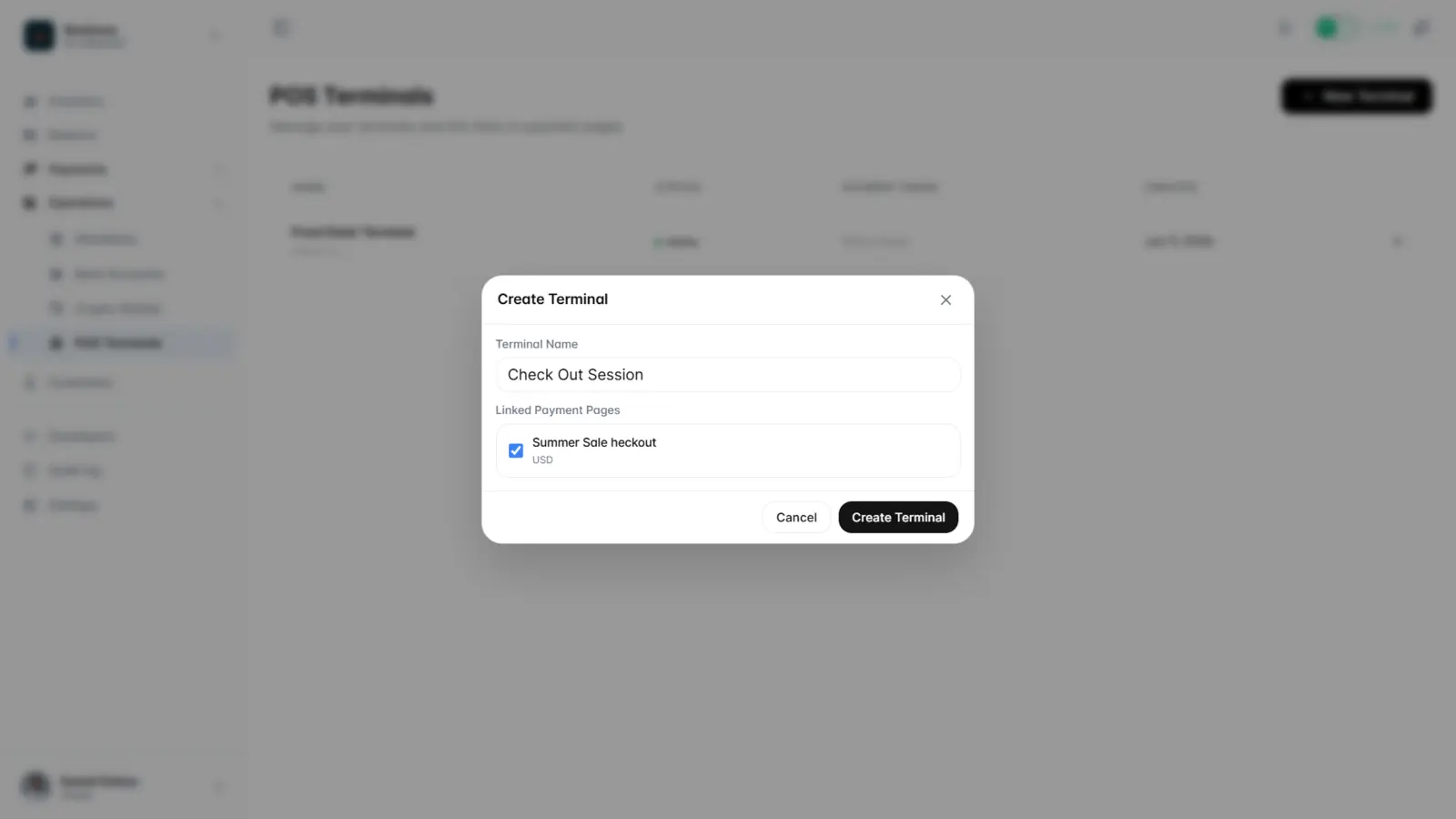
Name the terminal and select the payment page it charges through:
Pair a device with a short-lived setup code:
Use cases
- Retail counters and pop-up stalls
- Cafés, bars, and restaurants
- Markets and events with multiple staff devices
POS terminals are set up in the dashboard, not the public API. Each terminal tracks its own payments.