Sandbox Environment
Test safely with sandbox keys and testnet faucets.
Open the interactive version or read this guide as markdown.
Run your full integration against the sandbox before going live: the same API behavior on testnet, with no real funds at stake.
Base URLs
- Production:
https://api.coincircuit.io - Sandbox:
https://sandbox-api.coincircuit.io
Use sandbox (test) API keys against the sandbox base URL. Live keys only work against production.
Testnets
Sandbox payments settle on each blockchain's test network:
- Tron: Nile
- Ethereum: Sepolia
- Solana: Devnet
Testnet faucets
Get free testnet tokens to fund sandbox payments.
Tron (recommended)
Install the TronLink wallet, then claim testnet TRX and USDT from the Nile faucet at nileex.io/join/getJoinPage.
Ethereum (Sepolia)
Claim Sepolia testnet ETH from the Google Cloud faucet.
Solana
Claim devnet SOL from faucet.solana.com.
Simulate payments from the checkout page
When your integration runs against the sandbox, the checkout page shows a Simulate payment button in the bottom-right corner.
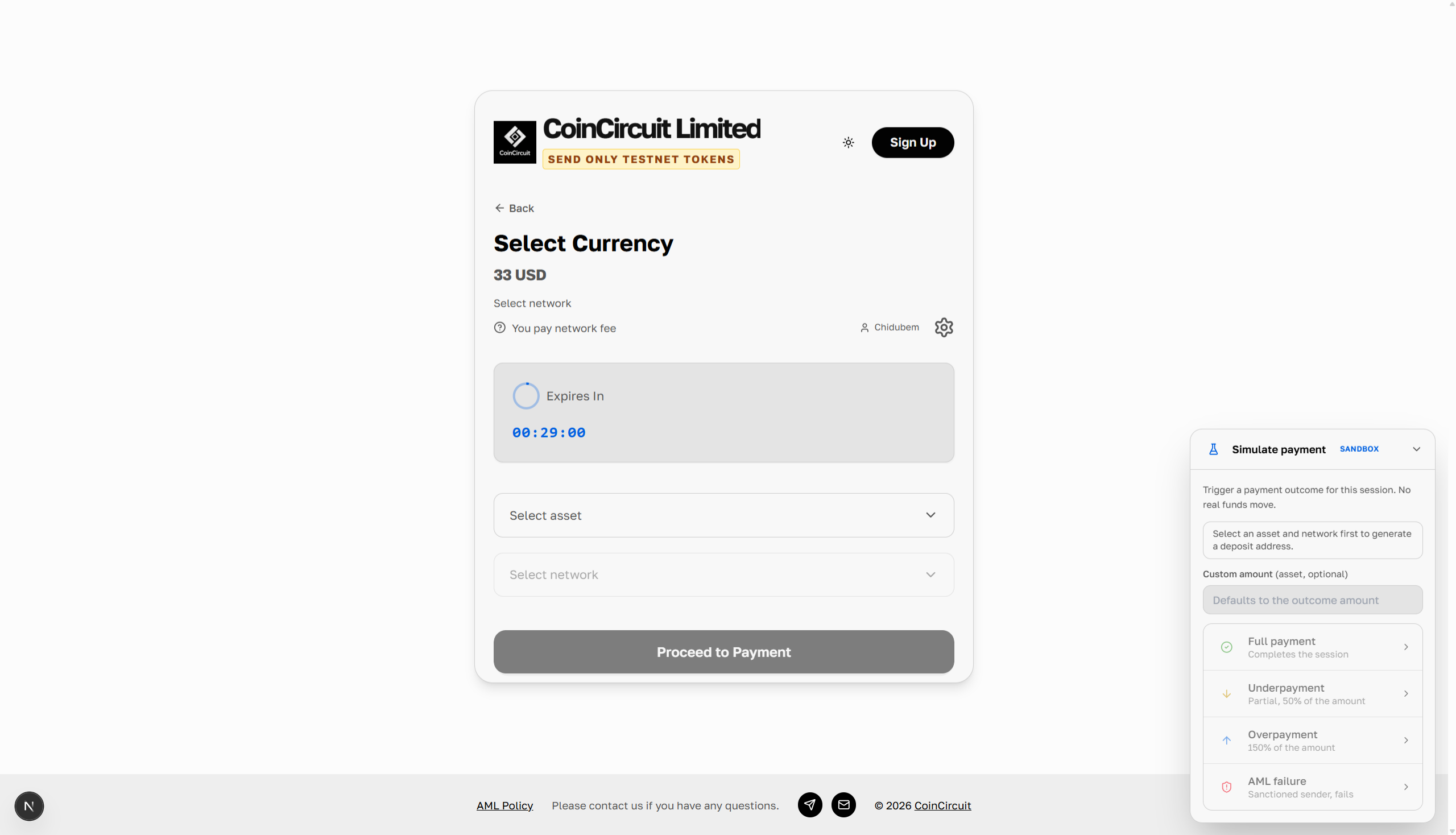
Use it to trigger a payment outcome for the open session without moving real funds:
- Full payment: completes the session.
- Underpayment: a partial deposit, 50% of the amount.
- Overpayment: an excess deposit, 150% of the amount.
- AML failure: a deposit from a sanctioned sender that fails screening.
Enter a custom amount if you want a specific value. Select an asset and network first so the session has a deposit address to pay into.